Have you ever had this problem, you are sent a list of names but they are all grouped together, first, middle, and surname? You need to add these names to your spreadsheet database but in order to do this, you first have to separate them out into individual cells. Doing this manually can be time consuming but there are ways of doing it quickly and efficiently so you can get on with other tasks.
You can download the Word separator generator here: Word separator generator
Open the spreadsheet and type/paste your data into the grid. Each word will be automatically separated and trimmed of any leading, trailing or extra spaces.
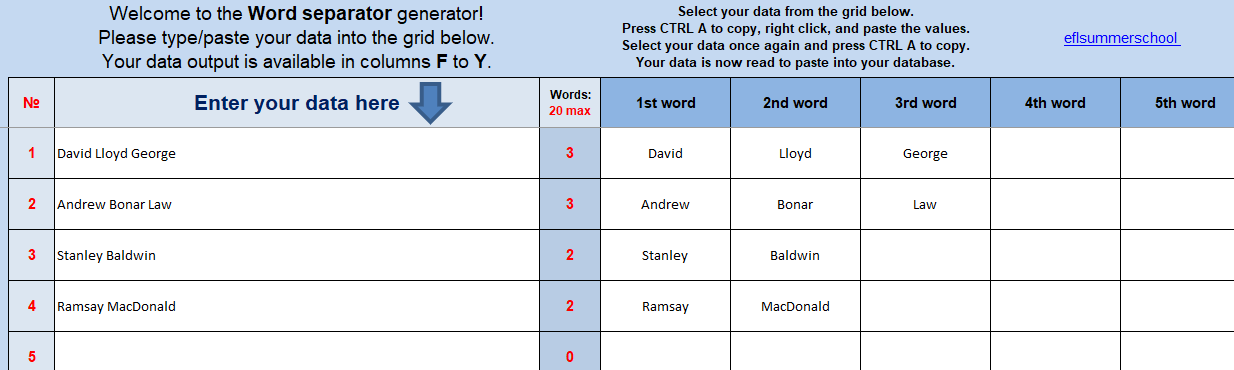
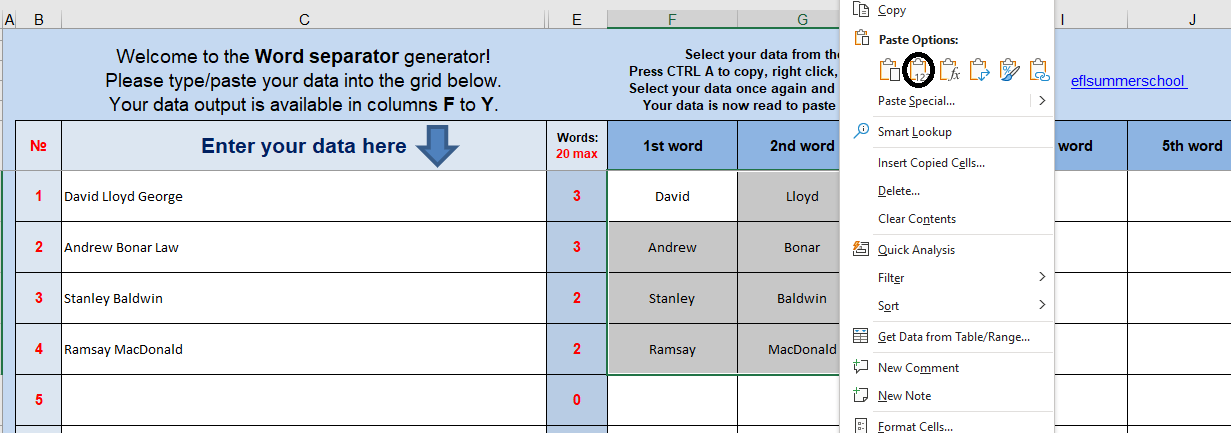
Copy your data and paste the values before copying and pasting into your database.
This generator was built using Excel but should work with most other spreadsheet programs.

Looking for more office tools? You may be interested in these: https://eflsummerschool.com/2023/01/23/office-tools/
 EFL Summer School
Reblogged this on More than Teaching.
LikeLike